
This article is intended to help clarify how to manage multiple workflows and best practices for them. If you want to know more about creating or editing workflow please see the article "How do I Create and Edit a Recon Workflow"
Workflows are most effectively utilized to categorize the different types of work or processes that vehicles will undergo. This can include vehicles undergoing reconditioning (involving multiple processes), those being wholesaled, and vehicles receiving post-sales service, among others.
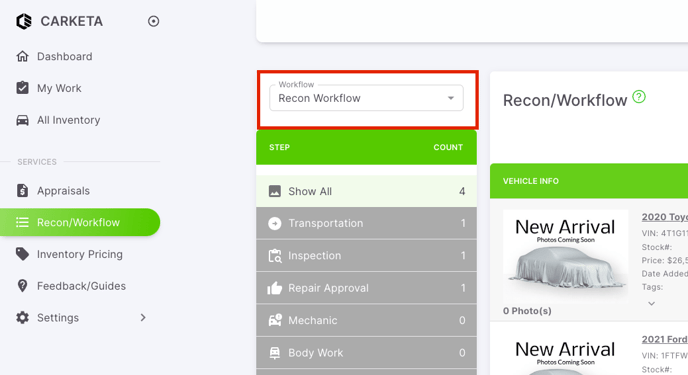
On the Recon/Workflow tab, you have the ability to switch between workflows by selecting the top dropdown on the left side of the tool
Under the progress column for each vehicle, there is a progress card where you can track the overall progress of the vehicle in terms of reconditioning. This includes the current step the vehicle is on, how long it has been in that step, who is assigned to it, and how many steps are remaining until the vehicle completes the reconditioning process. 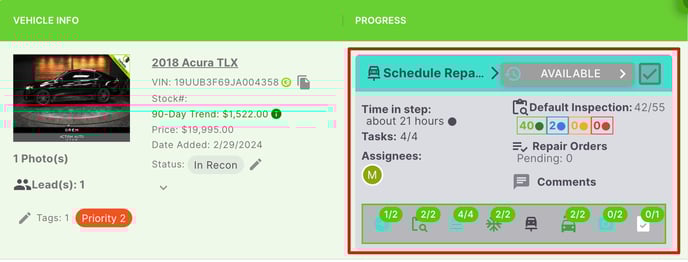
These are good indicators to see how vehicles are progressing toward completing the vehicle.