
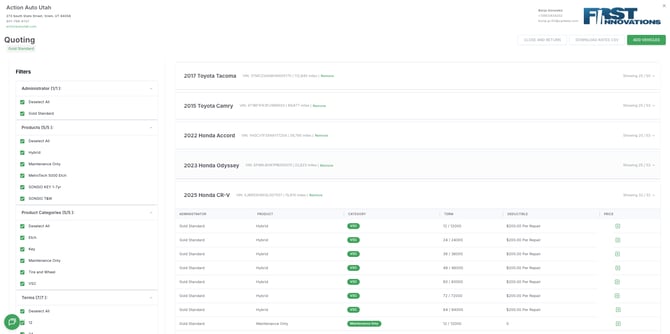
Opening the Rates Workspace
From any Dealer Profile, click View Rates (Beta) in the header
The Rates workspace opens scoped to the selected dealer and VINs.
Filters Panel (Left Side)
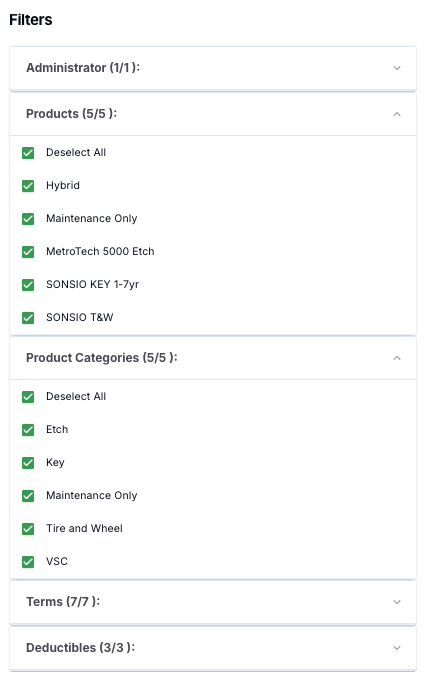
Narrow visible rate results using grouped filters:
- Administrator
- Products
- Product Categories (e.g., VSC, Tire & Wheel, Etch, Key, Maintenance)
- Terms (e.g., 12/24/36/48/60/72 months)
- Deductibles ($0 / $100 / $200 per repair)
Selections display active counts (e.g., “11/11”) and dynamically filter rate results.
Rate Rows (Right Side)
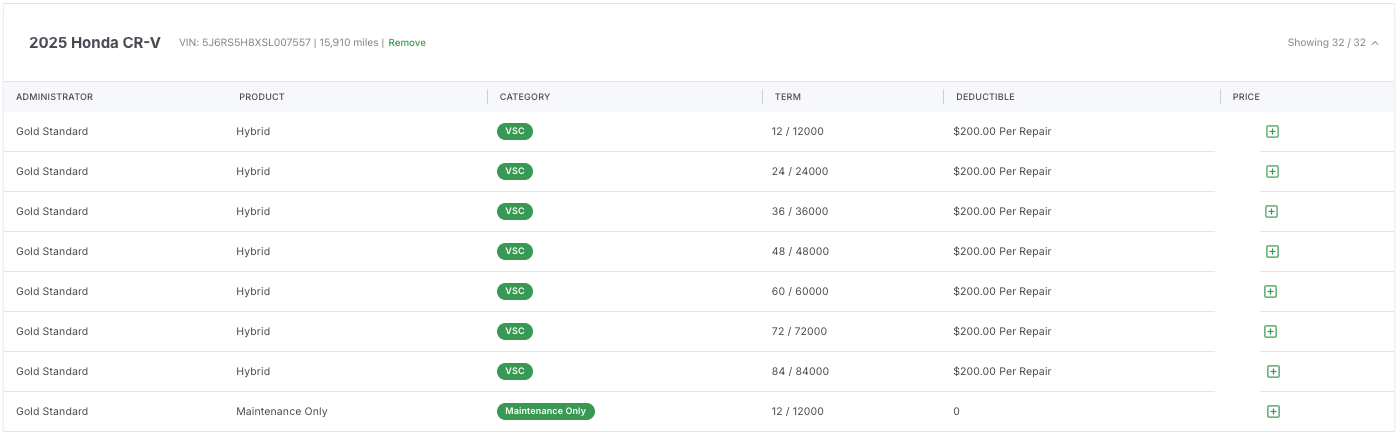
Each row shows one coverage option for a VIN:
- Administrator / Product / Category
- Term and Deductible
- Price and eligibility
User Actions:
- Expand or collapse VIN rows.
- Scroll through vehicles and review rate stacks.
- Remove VINs from the current view as needed.
Toolbar Actions
|
Action |
Description |
|
Download Rates CSV |
Exports visible rates for sharing or analysis. |
|
Add Vehicles |
Add additional VINs manually or from inventory. |
|
Close and Return |
Exit the Rates workspace and return to the dealer profile. |
Notes: Exported CSVs respect all active filters and show dealer-specific pricing.
Data Logic
Rates and eligibility data are generated from:
- Provider API integrations (e.g., StoneEagle, PCRS)
- Dealer-specific markup and product catalog rules
- Vehicle VIN, mileage, and price inputs
Tips
- Use filters to compare administrators or specific products side by side.
- Add VINs in bulk for batch quoting.
- Export filtered rates before dealer meetings.