
How do I turn my notifications on or off?
Click on your profile icon (top right corner) > Profile > Notification Preferences.
Here you have the ability to check or uncheck Email, Push (Mobile) or SMS (Mobile) notifications.
If you enable the SMS (Mobile) option, make sure the user's phone number is registered on the "Users" page.
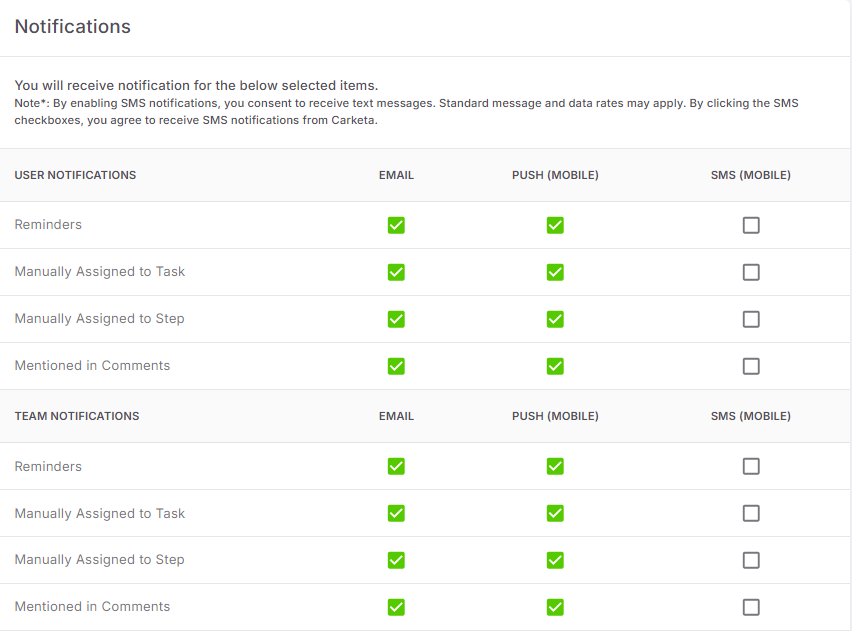
Once you've made your selections you're set! There's no save button, all changes are saved automatically.