
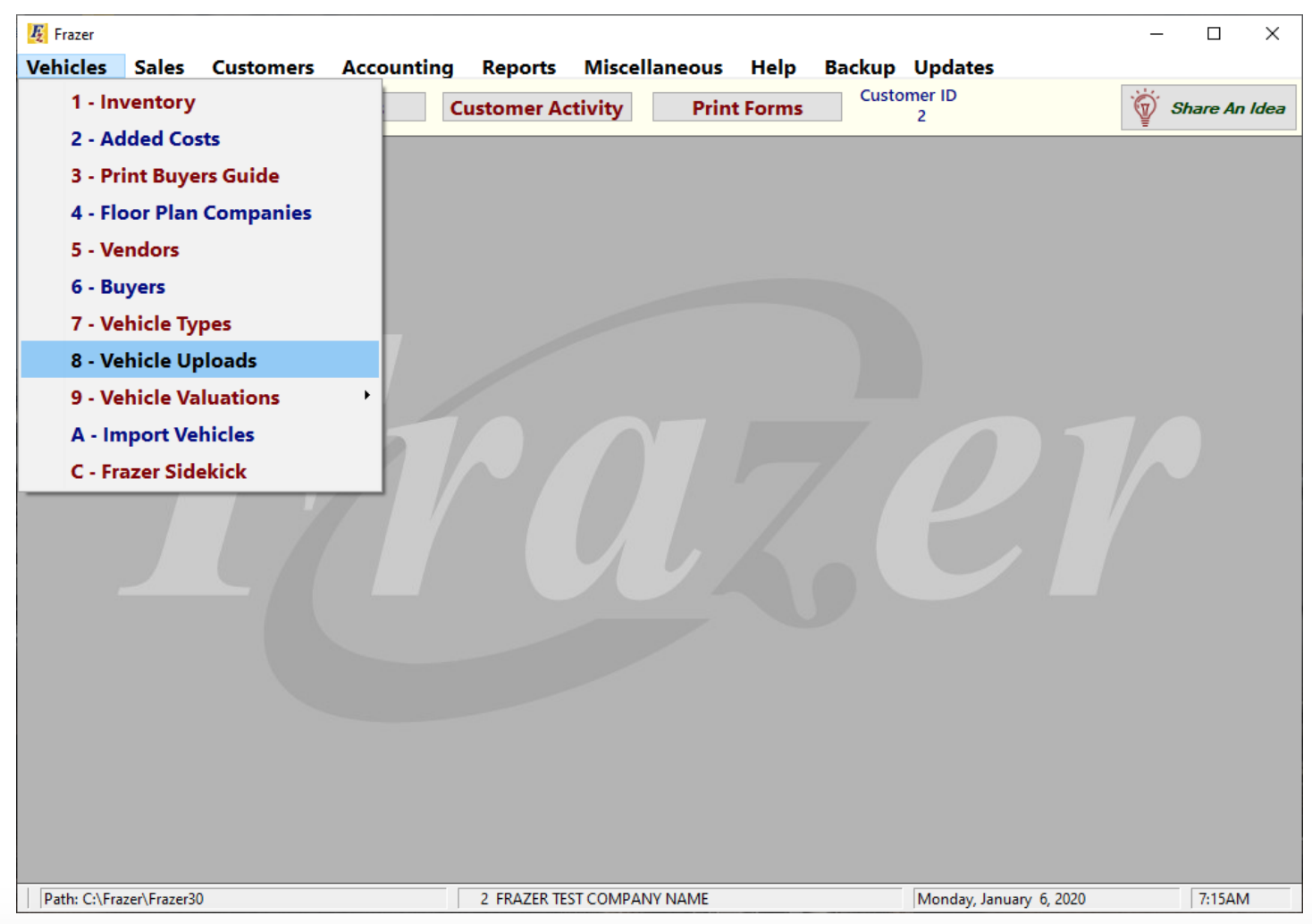
To add the port to Carketa from Frazer, Click Vehicles, then 8 – Vehicle Uploads:
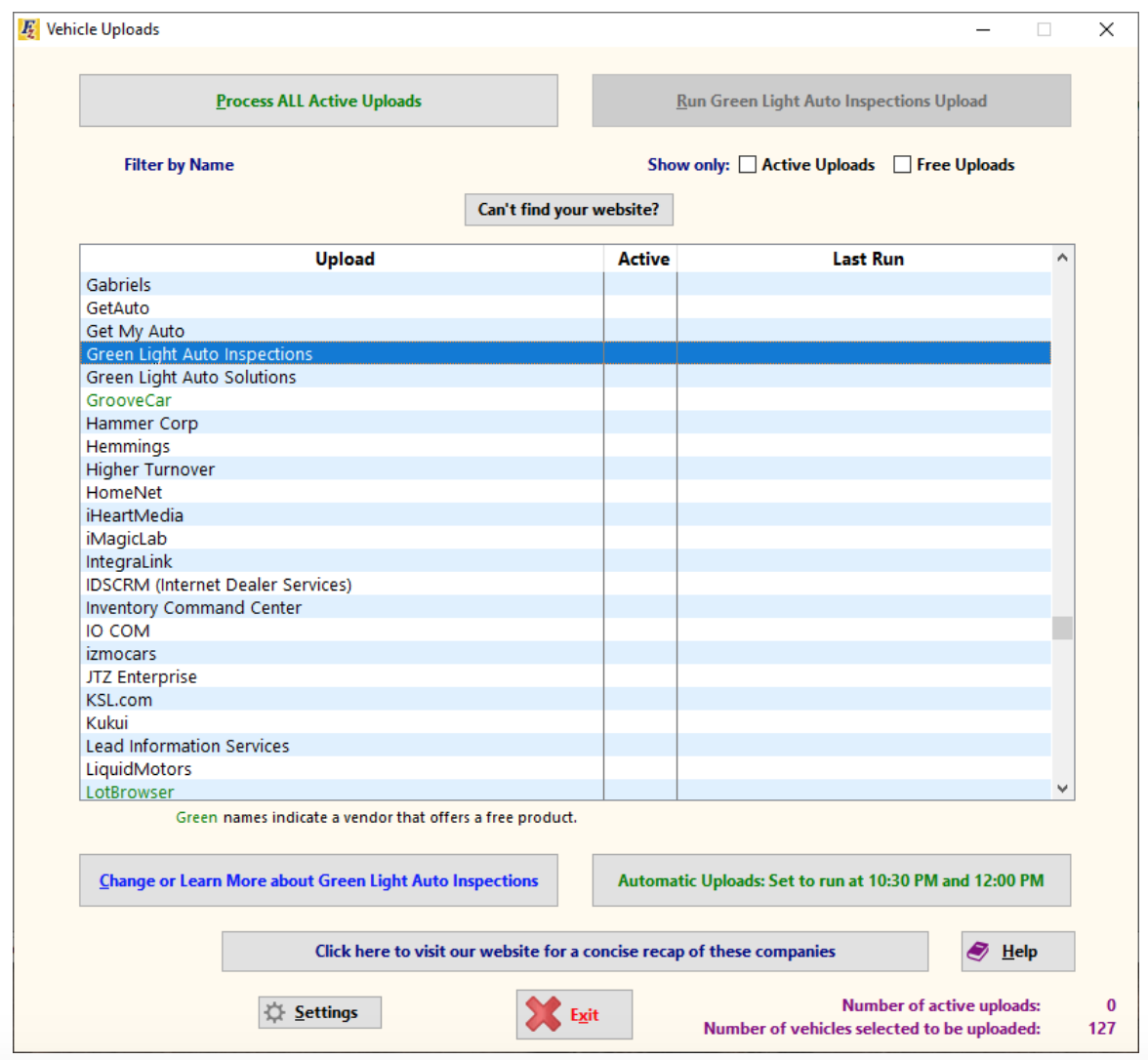
Vehicle uploads will be listed alphabetically with active uploads grouped at the top of the list. Be sure that the “Show only active uploads” box is not checked. Find the Carketa (Green Light Auto Inspections) upload (you can either scroll to it or use the “Filter by Name” field to find it). Double click Carketa or select it and then click the “Change or Learn More about Carketa” button to open the Setup screen.
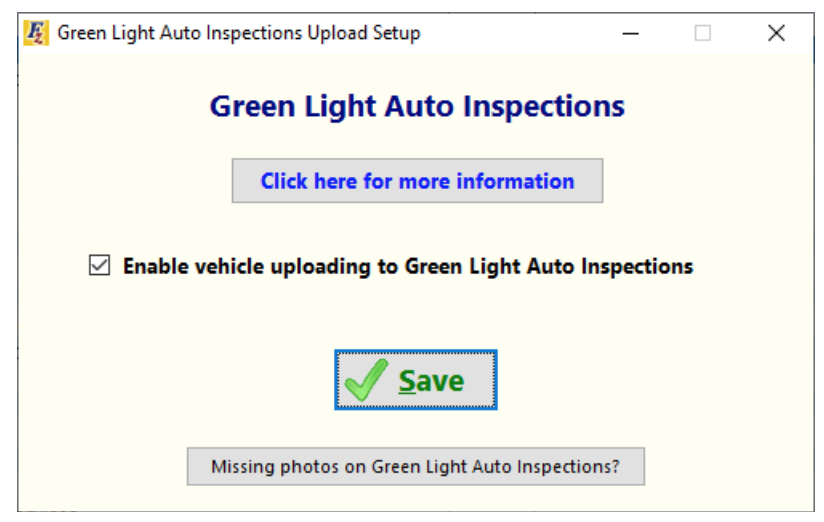
On the setup screen, check the box to enable uploading and click Save:
Note: All previous steps only need to be done once. After the initial setup, only uploads are needed.